
The Stellic Planner is a tool that allows students to assign courses and milestones (non-course requirements) to future terms. It shows a student's courses organized by term rather than by requirement. You can access a high-level view of a student's plans by clicking the "Plans" tab underneath the student profile.

A sample plan appears below. Stellic presents plans in chronological order, by academic year.
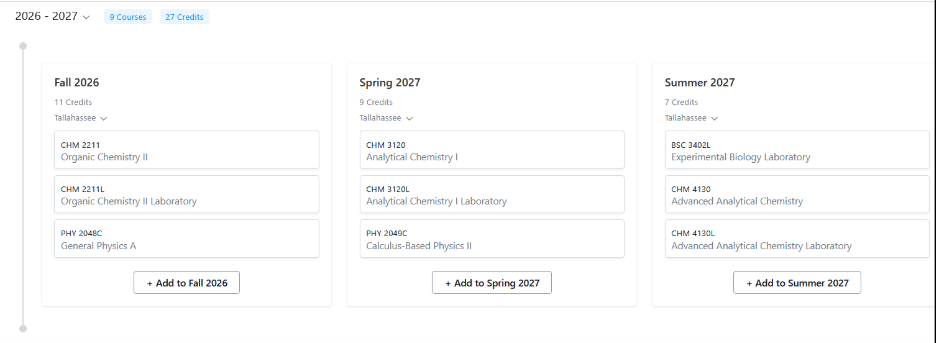
You have the option of staying here or clicking "Edit in Planner."

"Edit in Planner" allots more space for the plan and requirements. It also offers a slicker interface for adding requirements.
A window will open on the right, presenting three options for populating the plan.

- Remaining Courses (Requirements): Lists remaining courses and milestones. Drag and drop them into the term/year of your choice.
- Progress: Displays a streamlined view of the audit.
- Search Courses: This leads to the course search. If the class schedule has been published, you can search for specific classes and seat availability. This video is a helpful reference.